 Foto
Foto
How it works in 4 steps
- Take or choose a front-facing photo with your shoulders visible.
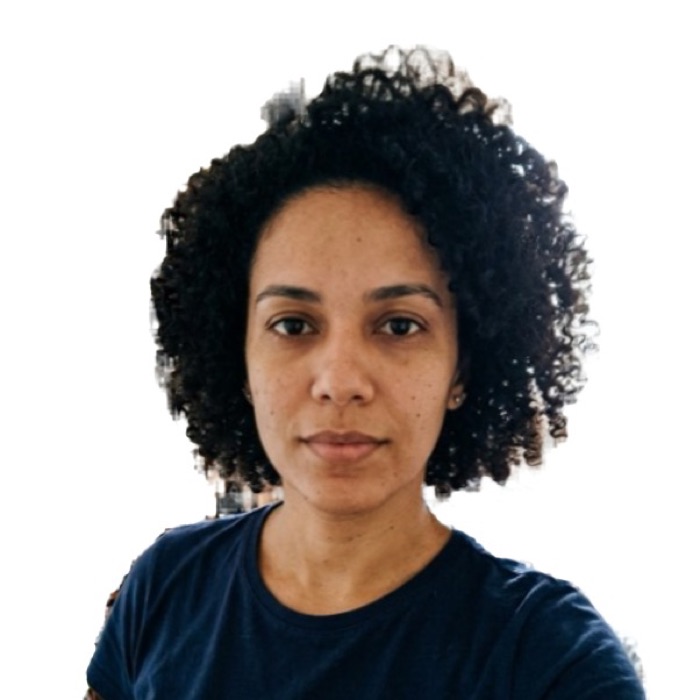
- The AI finds your face, straightens it and crops to 51 x 51 mm.
- Pick the background and review the checks.
- Download the photo or the 4x6 print sheet. Free.
US passport / visa photo (2x2 in): the numbers
| Size | 51 x 51 mm (2 x 2 in) |
|---|---|
| Pixels at 300 dpi | 602 x 602 |
| Digital file | 600 x 600 px, JPEG up to 240 KB |
| Head height | 25 to 35 mm |
| Background | White, plain, no shadows |
| Glasses | Not allowed |
| Used for | US visa (DS-160): 600 x 600 px digital file; US passport (DS-11, DS-82) and Green Card; Diversity Visa (DV) lottery |
Basis: US Department of State: head 1 to 1 3/8 in (25–35 mm), white or off-white background, no glasses; the digital file is a square JPEG of 600 x 600 to 1200 x 1200 px, up to 240 KB. Official source. The agency that receives the photo makes the final decision.
The official baby rules, word for word
The U.S. Department of State guidance for babies and toddlers says: place the child on a plain white or off-white sheet, or cover a car seat with the sheet; make sure there are no shadows on the face; no other person can be in the photo; the child must face the camera with a neutral expression and the full face visible; and it is okay if a baby's eyes are not entirely open — all other children must have their eyes open.
Two setups that actually work
- The floor method (newborns). Spread a white sheet on the floor near a big window, out of direct sun. Lay the baby flat on their back and shoot straight down from about 3 feet. Straight down matters: an angle distorts the head shape and gets photos rejected.
- The car seat method (squirmy babies). Cover the car seat completely with the sheet, buckle the baby in semi-reclined and shoot from the front at face level. The seat holds the pose, and any support under the sheet stays invisible.
Shoot dozens of frames in burst mode right after a feed and a change — you need exactly one where the face is neutral, centered and unobstructed.
What still applies exactly as for adults
- 2 x 2 in (51 x 51 mm), head from chin to top of hair 1 to 1 3/8 in (50–69% of the height).
- Taken within the last 6 months, in color.
- Plain white or off-white background, no texture, objects or lines.
- No glasses, no hats (except a thin head covering for religious or medical reasons), no filters and no retouching.
- No shadows on the face, no blur — a shaky, grainy photo is rejected.
If the sheet photographs slightly gray, reshoot with more light instead of brightening it: brightness fixes count as edits, and the photo must be unedited.
Print it
Download the 4x6 print sheet and order it as a regular 4x6 in (10x15 cm) photo print at Walmart, Walgreens, CVS, Costco or any photo kiosk. A 4x6 print usually costs well under a dollar, versus about $15–17 for passport photos taken at a pharmacy counter. Ask for actual size, no cropping, no "fit", then cut along the gray lines.
No account, no card
- No sign-up, no card, no subscription. Nothing to cancel later.
- Checked before you download, not after you pay.
- Your photo never leaves your device. The AI runs in your browser.
- No watermark. JPG, 4x6 print sheet and A4 PDF are free.
Frequently asked questions
Can a baby passport photo have closed eyes?
Partially, yes — for infants only. The official rule says it is acceptable if a baby's eyes are not entirely open; toddlers and older children must have both eyes open. It is still worth catching a frame with the eyes as open as you can.
Can I hold my baby in the photo?
No. No other person can be in the photo, and that includes a visible supporting hand or arm. If you must support a newborn's head, hide the support entirely under the sheet.
Is a pacifier allowed?
No. The State Department lists a pacifier as a rejection reason because it blocks part of the face. The full face has to be visible.
Does the baby need a neutral expression?
Officially yes. In practice what gets baby photos rejected is mechanical: another person or hand in the frame, heavy shadows, the head at an angle, or the wrong size.
What if I am applying online instead of printing?
Download the DS-160 file (600 x 600 px, under 240 KB) if you are uploading to an online form, or the print sheet for a DS-11 appointment at an acceptance facility. Both come from the same photo.