 Foto
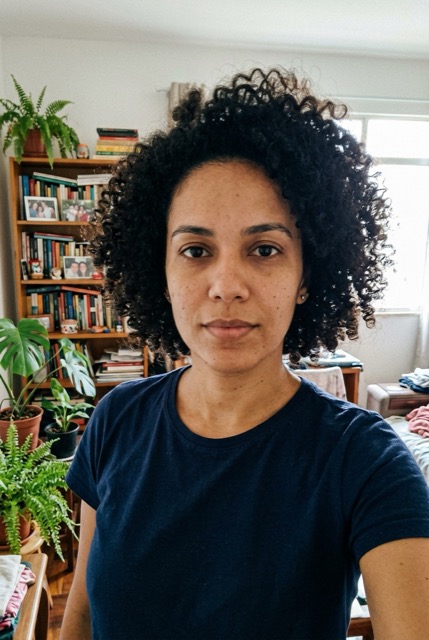
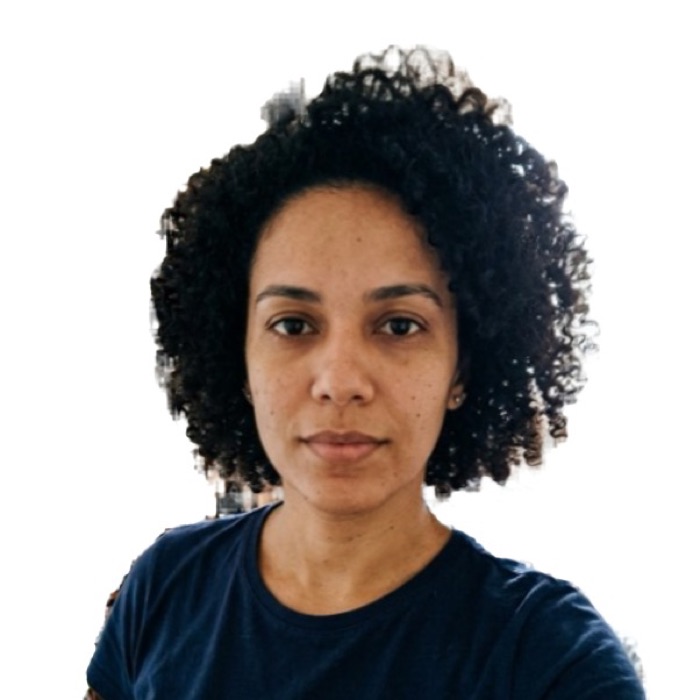
How it works in 4 steps
- Use the original photo and read the issuing authority’s instructions.
- Check dimensions and framing against the official requirements.
- Use the official U.S. visa tool if the application requires a crop.
- Follow the submission instructions for your application.
US passport / visa photo (2x2 in): the numbers
| Size | 51 x 51 mm (2 x 2 in) |
|---|---|
| Pixels at 300 dpi | 602 x 602 |
| Digital file | 600 x 600 px, JPEG up to 240 KB |
| Head height | 25 to 35 mm |
| Background | White, plain, no shadows |
| Glasses | Not allowed |
| Used for | US visa (DS-160): 600 x 600 px digital file; US passport (DS-11, DS-82) and Green Card; Diversity Visa (DV) lottery |
Basis: US Department of State: head 1 to 1 3/8 in (25–35 mm), white or off-white background, no glasses; the digital file is a square JPEG of 600 x 600 to 1200 x 1200 px, up to 240 KB. Official source. The agency that receives the photo makes the final decision.
Why DS-160 uploads fail
- File too large. Phone photos are 2–5 MB; the limit is 240 KB.
- Not square. The form rejects rectangular images.
- Head too small or too big. The head (chin to top of hair) must be 50–69% of the height.
- Glasses. Not allowed since 2016, even plain lenses.
- Shadows or a colored background. The background must be plain white or off-white.
If the consulate asks for a print
Follow your consulate’s instructions for the printed 2 × 2 inch visa photo. Passport applications have separate photo requirements.
Download the 4x6 print sheet and order it as a regular 4x6 in (10x15 cm) photo print at Walmart, Walgreens, CVS, Costco or any photo kiosk. A 4x6 print usually costs well under a dollar, versus about $15–17 for passport photos taken at a pharmacy counter. Ask for actual size, no cropping, no "fit", then cut along the gray lines.
No account, no card
- No sign-up, no card, no subscription. Nothing to cancel later.
- Checked before you download, not after you pay.
- Your photo never leaves your device. The AI runs in your browser.
- No watermark. JPG, 4x6 print sheet and A4 PDF are free.
Frequently asked questions
What are the DS-160 photo requirements?
Square JPEG, 600 x 600 to 1200 x 1200 px, at most 240 KB, color, taken in the last 6 months, head 50–69% of the image height, eyes 56–69% from the bottom, white or off-white background, no glasses, neutral expression.
My DS-160 photo upload failed. What now?
Check the file size and dimensions against the official instructions. If the background, lighting or pose is wrong, retake the photo before trying again.
Can I wear glasses in a DS-160 photo?
No. The State Department does not accept glasses in visa or passport photos, except for rare medical reasons with a signed statement.
Can I use the same photo for a US passport?
Both printed photos are 2 × 2 inches. Confirm the requirements for each application separately and keep the passport photo original and unedited.